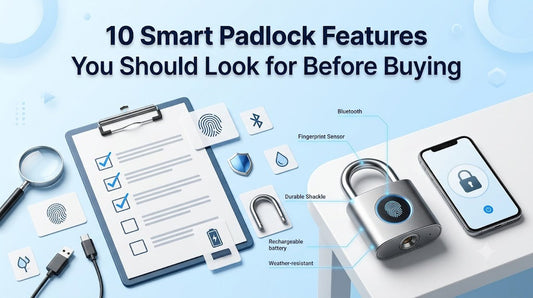
10 Smart Padlock Features You Should Look for Before Buying
Smart padlocks offer a modern alternative to traditional locks by combining keyless convenience with advanced security features. However, not all smart padlocks are built the same. Some focus on biometric fingerprint access, while others provide Bluetooth connectivity, mobile app controls, or enhanced weather resistance.
Before choosing a smart padlock, it's important to understand which features will best match your security needs and daily routine. This guide highlights ten essential features to consider so you can make a confident and informed purchase.
1. Fast and Accurate Fingerprint Recognition
For fingerprint-enabled smart padlocks, the quality of the biometric sensor is one of the most important features.
Look for models that offer:
- Fast unlocking in under one second
- High fingerprint recognition accuracy
- Support for multiple fingerprint angles
- Reliable performance in everyday use
A responsive fingerprint sensor provides quick, secure, and hassle-free access without needing a physical key.
2. Bluetooth Connectivity
Many smart padlocks include Bluetooth technology, allowing users to manage the lock through a smartphone app.
Bluetooth features may include:
- Keyless unlocking
- User management
- Battery monitoring
- Lock status
- Access sharing
Bluetooth functionality is especially useful for homes, offices, shared lockers, and storage spaces where multiple people may require access.
3. Multiple User Access
If more than one person needs to use the padlock, multiple user support is essential.
Depending on the model, you can register several fingerprints or authorize multiple users through the mobile app.
This feature is ideal for:
- Families
- Offices
- Shared workspaces
- Warehouses
- Equipment storage
It allows secure access without needing to distribute physical keys.
4. Long Battery Life
Battery performance directly affects convenience.
Most modern smart padlocks feature rechargeable batteries designed to last several months under normal use.
Look for features such as:
- Rechargeable lithium battery
- USB-C charging
- Low-battery notifications
- Battery level indicator
Long battery life reduces maintenance and ensures the lock remains ready when you need it.
5. Durable Build Quality
A smart padlock should be just as physically secure as it is technologically advanced.
Choose models made from durable materials like:
- Zinc alloy
- Stainless steel
- Hardened steel shackles
- Scratch-resistant finishes
Strong construction improves resistance against cutting, tampering, and everyday wear.
6. Weather Resistance
If you plan to use your smart padlock outdoors, weather protection is a must.
Look for features such as:
- Water resistance
- Dust protection
- Rust-resistant coating
- Durable outdoor construction
A weather-resistant smart padlock performs more reliably in changing environmental conditions, making it suitable for gates, sheds, bicycles, and outdoor storage.
7. Emergency Unlock Options
Even the best smart padlocks should offer a backup solution in case the battery runs low or an unexpected issue occurs.
Useful emergency features include:
- USB-C emergency charging
- External power support
- Backup unlocking methods (where available)
These options provide additional peace of mind and help reduce the risk of being locked out.
8. Smart Mobile App Features
A well-designed companion app can significantly improve the user experience.
Useful app features include:
- Battery status monitoring
- User management
- Temporary access sharing
- Activity history
- Firmware updates
- Lock settings
These tools make it easier to manage your smart padlock, especially in shared environments.
9. Advanced Security and Encryption
Digital security is just as important as physical security.
Choose a smart padlock that offers:
- Encrypted fingerprint storage
- Secure Bluetooth communication
- Anti-tamper protection
- Reliable authentication
Strong encryption helps protect user data while reducing the risk of unauthorized access.
10. Easy Setup and Maintenance
A smart padlock should be simple to configure and maintain.
Look for products that provide:
- Quick fingerprint registration
- Straightforward Bluetooth pairing
- Easy battery charging
- Clear user instructions
- Minimal maintenance requirements
A user-friendly setup saves time and makes the lock more enjoyable to use every day.
Quick Buying Checklist
Before purchasing a smart padlock, ask yourself the following questions:
- Does it support fingerprint unlocking?
- Does it include Bluetooth connectivity?
- How long does the battery last?
- Does it use USB-C charging?
- Is it suitable for indoor or outdoor use?
- How many users or fingerprints can it store?
- Is the body made from durable materials?
- Does it offer emergency charging or backup access?
- Is the companion app easy to use?
- Does it include modern security and encryption features?
Choosing a smart padlock with the right combination of features ensures better convenience, security, and long-term value.
Final Thoughts
Choosing the right smart padlock is about more than selecting a modern locking device. Features such as fingerprint recognition, Bluetooth connectivity, durable construction, weather resistance, long battery life, and advanced security all contribute to a better user experience and more reliable protection.
Before making your purchase, compare the available features carefully and select a smart padlock that matches your environment, security requirements, and everyday usage. Investing in the right features today can provide greater convenience, improved security, and lasting peace of mind.
Frequently Asked Questions
What is the most important feature in a smart padlock?
The answer depends on your needs. Many users prioritize fast fingerprint recognition, while others value Bluetooth app control, long battery life, or weather-resistant construction.
Is Bluetooth necessary in a smart padlock?
Not always. Bluetooth is useful for managing users, monitoring battery status, and unlocking through a smartphone, but fingerprint-only models may be sufficient for personal use.
Should I choose a rechargeable smart padlock?
Rechargeable models are popular because they reduce the need for replacing batteries and often include convenient USB-C charging.
Are weather-resistant smart padlocks worth it?
Yes. If the padlock will be exposed to rain, dust, or changing temperatures, weather resistance helps improve durability and long-term performance.
How many fingerprints should a smart padlock support?
For personal use, a few registered fingerprints may be enough. For families, offices, or shared spaces, choosing a model with higher fingerprint capacity offers greater flexibility.