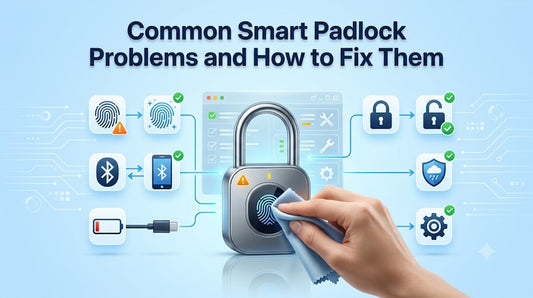
Common Smart Padlock Problems and How to Fix Them
Smart padlocks offer convenient keyless security through features like fingerprint recognition, Bluetooth connectivity, and mobile app control. While they are designed for reliable everyday use, occasional issues can occur due to battery levels, environmental conditions, connectivity, or user settings.
Fortunately, most smart padlock problems are easy to identify and resolve without replacing the lock. In this guide, we'll cover the most common issues users encounter and provide practical troubleshooting tips to help keep your smart padlock performing at its best.
1. Fingerprint Not Recognized
One of the most common issues is when the padlock doesn't recognize a registered fingerprint.
- Possible Causes
- Dirty fingerprint sensor
- Wet or oily fingers
- Incomplete fingerprint registration
- Dust or moisture on the sensor
How to Fix It
- Clean the fingerprint sensor with a soft microfiber cloth.
- Dry and clean your finger before scanning.
- Register the same finger from multiple angles if your model supports it.
- Add a backup fingerprint, such as your thumb or another finger.
2. Bluetooth Won't Connect
Bluetooth-enabled smart padlocks may occasionally fail to connect to a smartphone.
- Possible Causes
- Bluetooth is turned off.
- The phone is out of range.
- The app needs updating.
- The lock is already connected to another device.
How to Fix It
- Enable Bluetooth on your smartphone.
- Move closer to the padlock.
- Restart the mobile app.
- Update the app if a newer version is available.
- Restart Bluetooth on your phone.
3. Smart Padlock Won't Unlock
If the padlock remains locked even after authentication, several factors may be responsible.
- Possible Causes
- Low battery
- Incorrect fingerprint
- Bluetooth connection issue
- Mechanical obstruction
How to Fix It
- Check the battery level.
- Recharge the padlock if necessary.
- Try another registered fingerprint.
- Inspect the shackle for dirt or debris that may prevent it from opening.
4. Battery Drains Faster Than Expected
Although many smart padlocks last for months on a single charge, battery life can vary depending on usage.
- Possible Causes
- Frequent unlocking
- Continuous Bluetooth activity
- Extreme temperatures
- Aging battery
How to Fix It
Recharge the battery before it becomes completely depleted.
Reduce unnecessary Bluetooth activity when possible.
Store the lock in moderate temperatures whenever practical.
Follow the manufacturer's charging recommendations.
5. Smart Padlock Won't Charge
Sometimes the battery may not charge properly.
- Possible Causes
- Damaged charging cable
- Dirty charging port
- Loose connection
- Faulty power adapter
How to Fix It
- Use a compatible charging cable.
- Carefully clean the charging port.
- Try another USB charger or adapter.
- Ensure the charging cable is securely connected.
6. Mobile App Isn't Responding
The companion app plays an important role in many Bluetooth-enabled smart padlocks.
- Possible Causes
- Outdated app version
- Software glitch
- Phone operating system issue
How to Fix It
- Restart the application.
- Update the app.
- Restart your smartphone.
- Reinstall the app if the issue continues.
7. Lock Doesn't Pair With the App
Initial pairing sometimes fails during setup.
- Possible Causes
- Bluetooth permissions are disabled.
- The lock has already been paired.
- Pairing mode wasn't activated.
How to Fix It
- Enable Bluetooth permissions.
- Follow the pairing instructions provided by the manufacturer.
- Reset the pairing process if your model supports it.
- Keep the phone close to the lock during setup.
8. Problems After Outdoor Use
Outdoor installations expose smart padlocks to changing weather conditions.
- Possible Causes
- Heavy rain
- Dust buildup
- Mud or debris
- Freezing temperatures
How to Fix It
- Wipe the lock clean regularly.
- Choose a weather-resistant smart padlock for outdoor applications.
- Avoid prolonged exposure to standing water.
- Inspect the shackle and fingerprint sensor after severe weather.
9. Forgotten Administrator or User Settings
Some smart padlocks allow administrator accounts or advanced user management.
How to Fix It
If you lose access to administrator settings, refer to your product's user manual for the supported reset procedure. The exact process varies by manufacturer and model.
10. The Padlock Feels Slow
Occasionally, unlocking may seem slower than usual.
- Possible Causes
- Low battery
- Dirty sensor
- Weak Bluetooth signal
- Firmware updates
How to Fix It
- Charge the battery.
- Clean the fingerprint sensor.
- Move closer if using Bluetooth.
- Keep the companion app updated.
Preventive Maintenance Tips
Regular maintenance helps reduce the chances of unexpected problems.
Best practices include:
- Clean the fingerprint sensor regularly.
- Recharge the battery before it becomes fully depleted.
- Inspect the charging port for dust.
- Store the padlock in a dry environment when not in use.
- Check for firmware or app updates if supported.
- Keep the shackle free from dirt and corrosion.
Simple maintenance can improve both performance and lifespan.
When Should You Replace a Smart Padlock?
Most issues can be resolved through routine troubleshooting. However, replacement may be worth considering if you notice:
- Physical damage to the body or shackle
- Battery no longer holding a charge
- Persistent electronic failures
- Water damage beyond the product's protection rating
- Repeated authentication failures after proper troubleshooting
Choosing a high-quality smart padlock and maintaining it properly can help extend its service life.
Final Thoughts
Most smart padlock issues are minor and can be resolved with simple troubleshooting. Regular cleaning, proper charging habits, and routine maintenance help ensure smooth operation and extend the life of your smart padlock.
Understanding these common problems and their solutions allows you to enjoy the convenience of keyless security with greater confidence and fewer interruptions.
Frequently Asked Questions
Why won't my fingerprint smart padlock recognize my finger?
Dirty sensors, wet fingers, or incomplete fingerprint registration are the most common reasons. Cleaning the sensor and re-registering your fingerprint usually improves recognition.
Why isn't my Bluetooth padlock connecting?
Check that Bluetooth is enabled, your phone is within range, and the mobile app is up to date. Restarting Bluetooth or the app often resolves connection issues.
What should I do if my smart padlock battery dies?
Many models support emergency charging through a USB port or provide another backup unlocking method. Refer to your product documentation for the available recovery options.
Can weather affect a smart padlock?
Yes. Extreme temperatures, heavy rain, dust, and moisture can affect performance. Using a weather-resistant model and performing regular maintenance helps maintain reliable operation.
How can I prevent smart padlock problems?
Keep the battery charged, clean the fingerprint sensor, inspect the charging port, and follow the manufacturer's maintenance recommendations for long-term reliability.